01 · Problem
Pressure rarely stays in one place. The dashboard did.
A slow discharge keeps a bed occupied. That blocks an admission, which backs up the emergency department, which delays ambulance handovers outside the front door. NHS teams need to see that chain, often in the few minutes before a system call.
Ambulance
Arrival and handover
Emergency
Assessment and waits
Admissions
Beds and wards
Discharges
Flow out of hospital
Community
Capacity after hospital
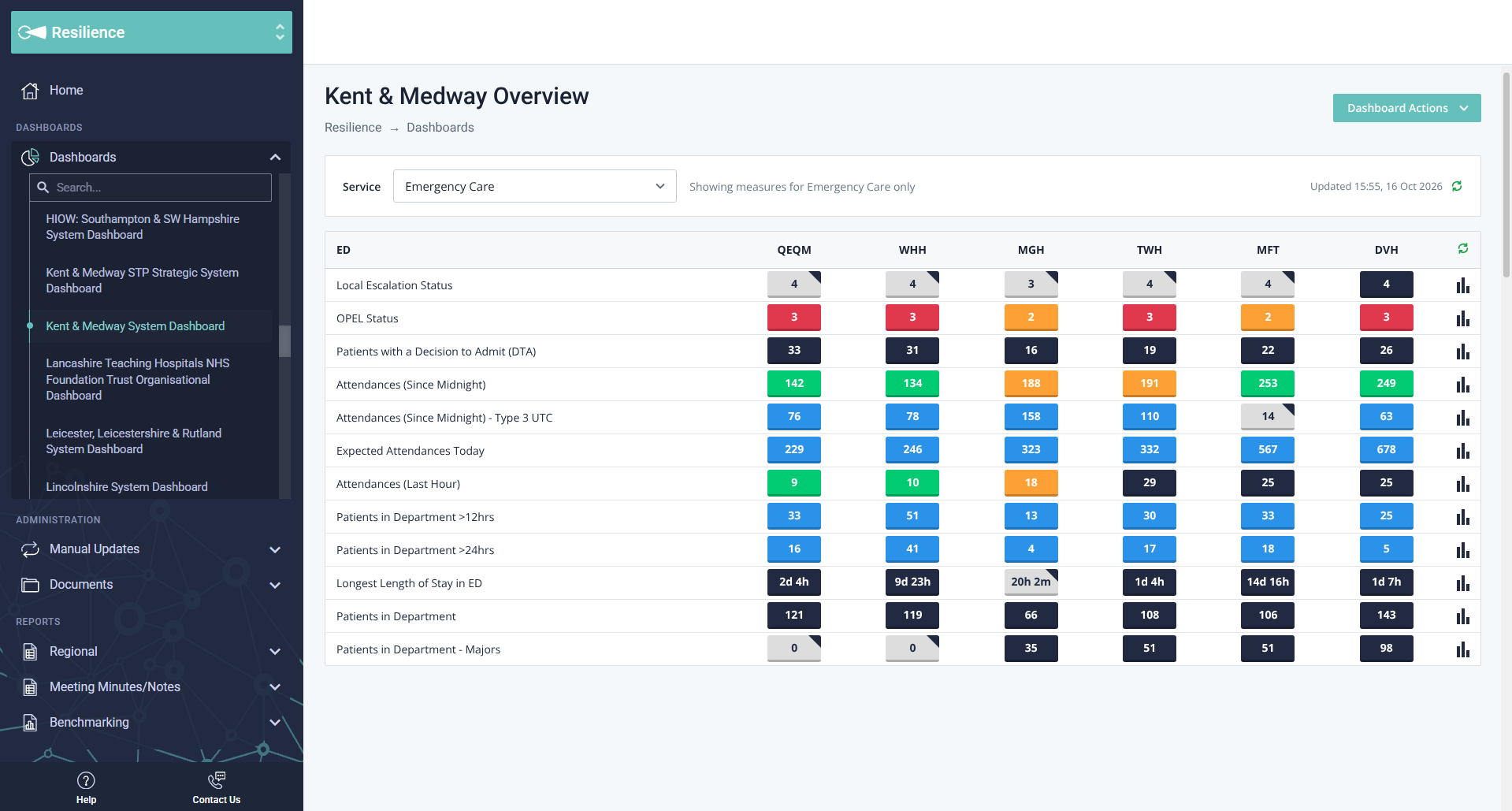
The original dashboard answered a narrower question: how is this one service doing? Imagine a site manager before the morning call. Pick Emergency Care. Open the filter. Switch to Community Care, and the emergency view is gone. Switch again, and again. Step through it:
The original filter-based workflow, reconstructed in the current interface with example data.
“Where is pressure building across the whole system, and why?”
02 · Research
“A helicopter view of the whole system.”
That phrase came up again and again in NHS operational feedback, conversations with site and system leads, workflow observation, support themes, and task-based testing with internal users (many former NHS staff) and NHS operational users. Two groups shared one screen for different reasons:
Site and bed managers
Need the exact measure and site behind a warning, and the facts for the next call.
System and control-centre leaders
Need the shape of the whole system first, to coordinate escalation and mutual aid.
People scan before they read
The first screen has to orient. Detail can wait one click.
Red starts a question
A status says where to look. It must lead to the measure behind it.
Freshness builds trust
Feeds update at different times. People need to see how current each figure is.
03 · Key decision
A dial for orientation. Tables for precision.
I explored three ways to represent the same system. The decision was never “a circle”. It was separating recognition from investigation, and giving each its best form.
Table
Exact values, but row-by-row scanning to see how services connect.
Map
Strong for geography, weak for relationships inside one system.
Dial + tables
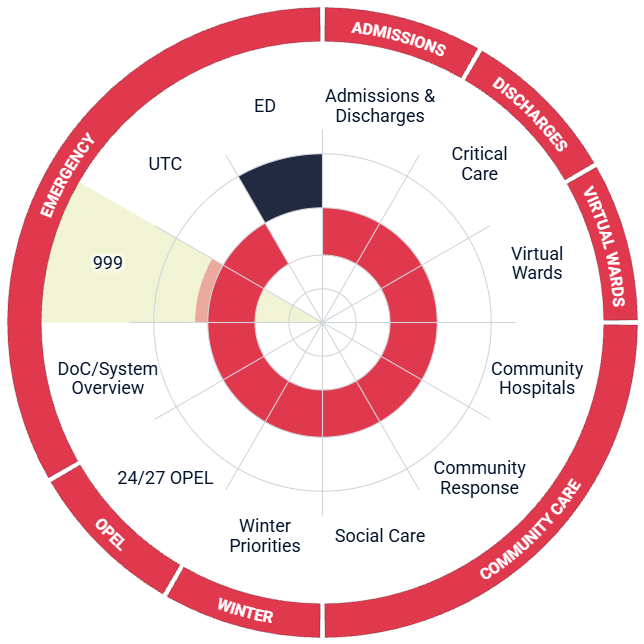
Every care area in one view for recognition, with exact tables beside it for investigation. A circle can’t explain a number, so it never has to.
Status is never colour alone: every segment is labelled, every chip shows its value, neutral cells carry a corner status marker, and indicator details name each trigger level.
04 · Solution
From seeing pressure to the evidence behind it.
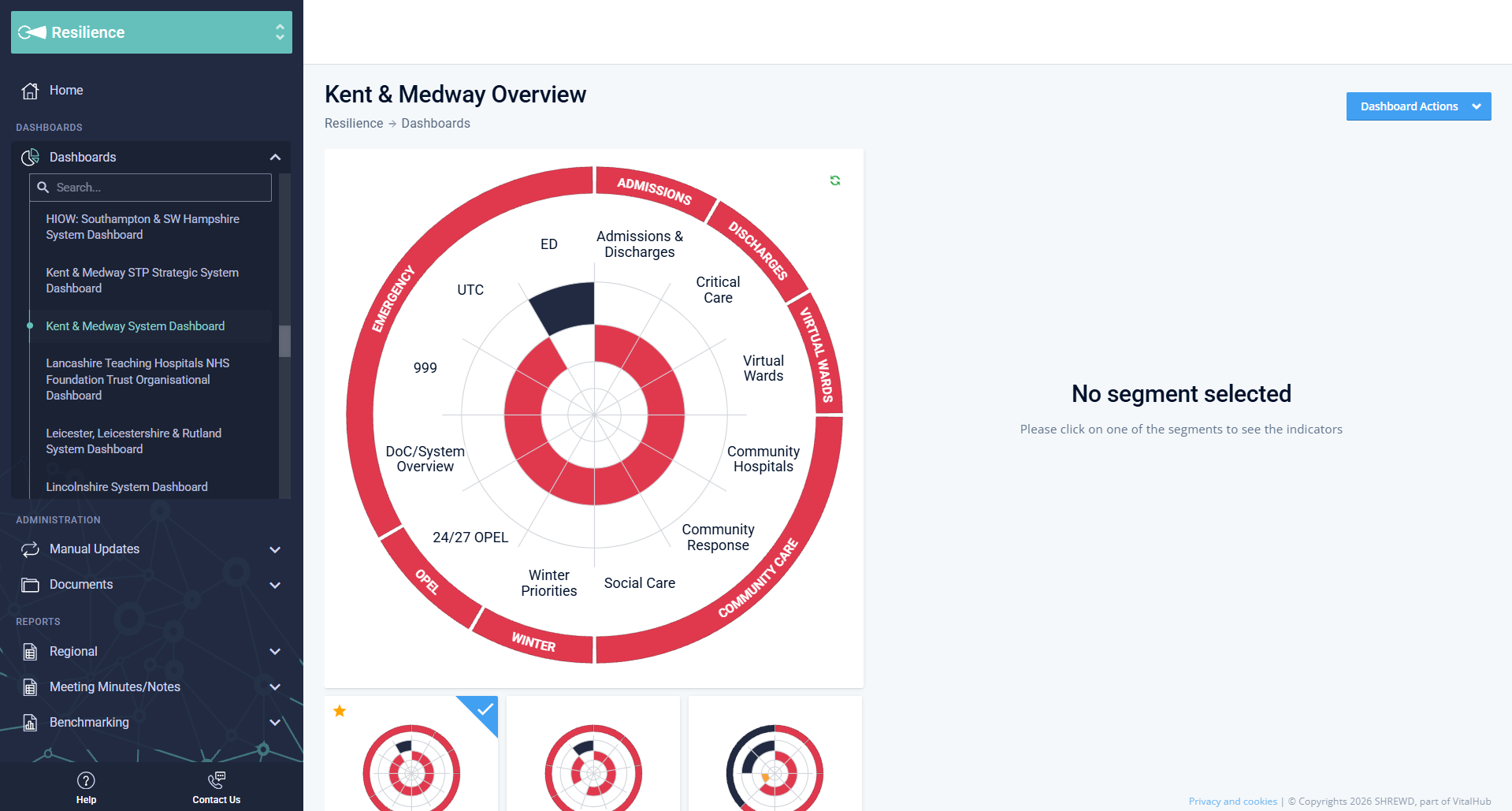
The dial stays in view while the panel beside it changes. Four states take a user from a warning to its history without losing the wider picture.
Live SHREWD Resilience, Kent & Medway. Account details masked.
05 · Iteration
Testing changed the details that build trust.
Internal users
VitalHub colleagues, many of whom had worked in NHS operations. Fast, early rounds on the clickable prototype.
NHS operational users
Site, bed and system leads who use SHREWD every day, confirming it worked in their real workflows.
Internal rounds set direction. Decisions were only locked once NHS users confirmed them.
- Find the most pressured service in the system
- Explain why that service is red
- Check whether the problem is new or ongoing
- Switch to another site and compare
Think-aloud, task-based. What people struggled with became the changes below.
What we heard → what changed
Amber and red were hard to tell apart on bright control-room screens
→Stronger status contrast, with labels, values and corner status markers
“Is this live?” came up again and again
→An update time on every indicator and a refresh control on every panel
Moving between hospitals took too many steps
→Mini site dials under the overview for one-click switching
The trade-off. A continuously animated “live” dial looked impressive, but it implied every feed was equally current. Honest update times were less flashy and more trustworthy. I’d make the same call again.