01 · Overview
One app for many NHS services, and many kinds of patient.
testers completed the questionnaire task without any help
versions: V1, V2 and the final release, each reviewed before the next
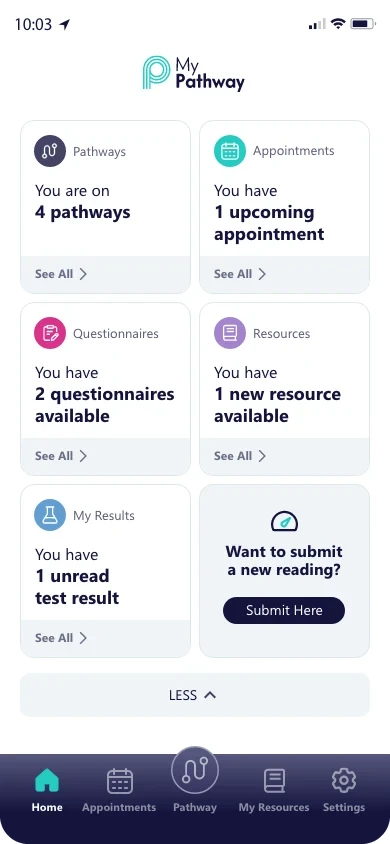
tabs, with the Pathway fixed at the centre
02 · The challenge
Patients had the information. They didn’t have a next step.
The existing experience
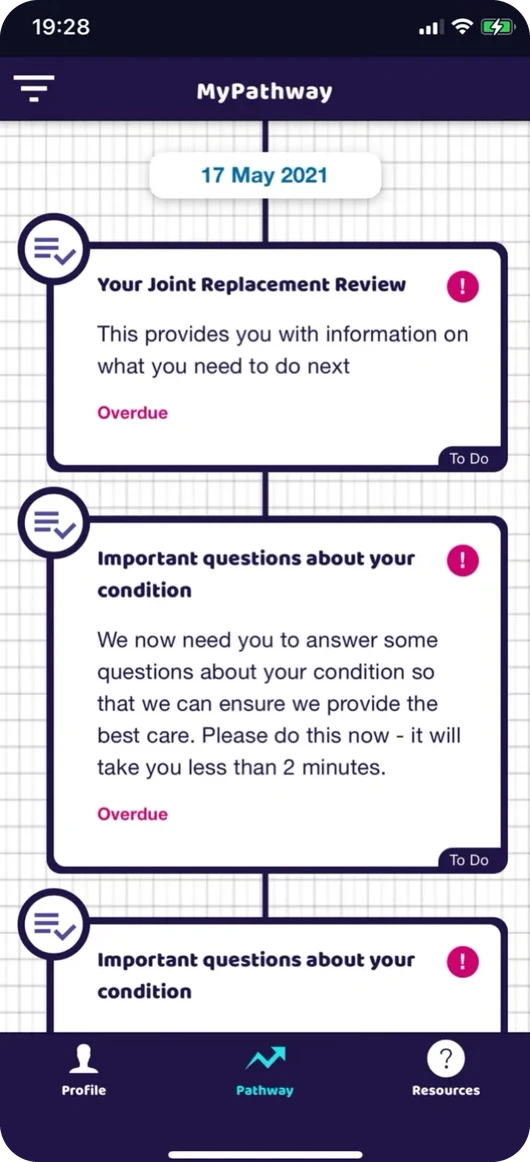
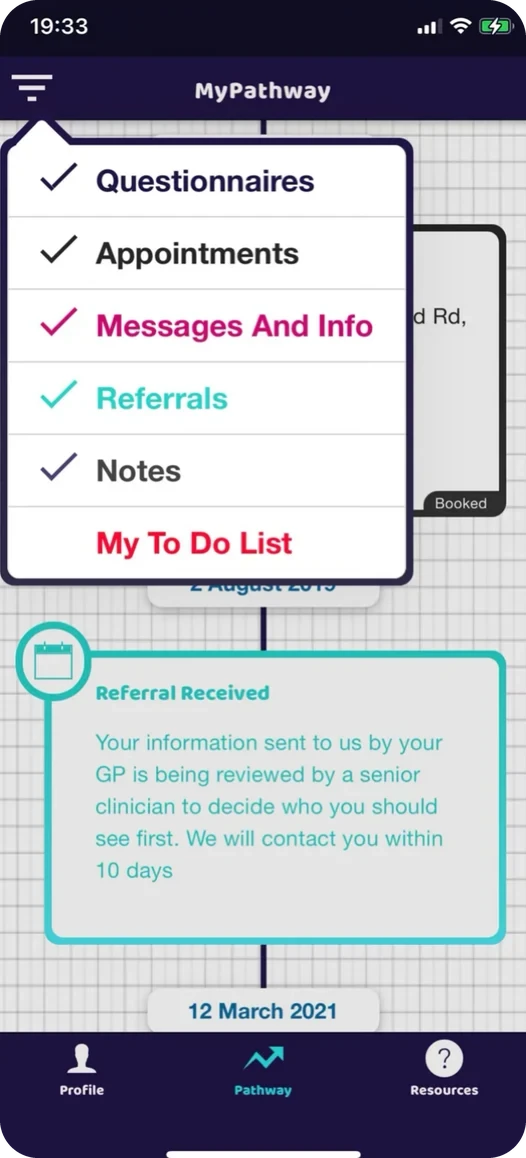
Everything sat on one long timeline. Each content type had its own heavy coloured frame. Items said “Overdue” with no date and no progress, and finding one questionnaire meant opening a filter.
User needs
I used four sources: remote patient interviews over Teams with people in their 20s, 40s and over 60, workshops with clinicians and NHS service leads, internal interviews with colleagues aged 20 to 60+, and an analysis of App Store reviews.
People arrive with one job
Answer a questionnaire, check a time, read a leaflet. The first screen should take them straight to it.
Forms feel risky
People worried about getting a health form “wrong” or losing what they had typed.
Trust is personal
Names, roles and real contact routes made the app feel like part of their care.
Clinical complexity
Diabetes, MSK, MND, physiotherapy and more. Each service configures its own pathways and content.
One patient can be on several pathways at once, across a GP surgery and a hospital.
Notes requests, appointment changes and urgent symptoms all need clear, honest wording and the right route.
03 · Design decisions
How should patients move between tasks, pathways and features?
The navigation had to answer three questions at once: what do I need to do across all my care, what is happening on one pathway, and where is a specific feature. We weighed three options.
Improved filtering
Keep the established feature navigation and use filtering to manage different pathways.
Feature-led navigation
Organise the experience around appointments, questionnaires, resources and other features.
Home hub with pathway context
An overview of important tasks on Home, while keeping access to pathway-specific information.
Version 1 built the brief as given: feature tabs plus filters, so options 1 and 2 together. Testing showed people met four controls before their first card and wanted the Pathway kept simple. When we planned V2, I compared the three options against that evidence. Option 3 answered both problems, so V2 tested it and the final release refined it.
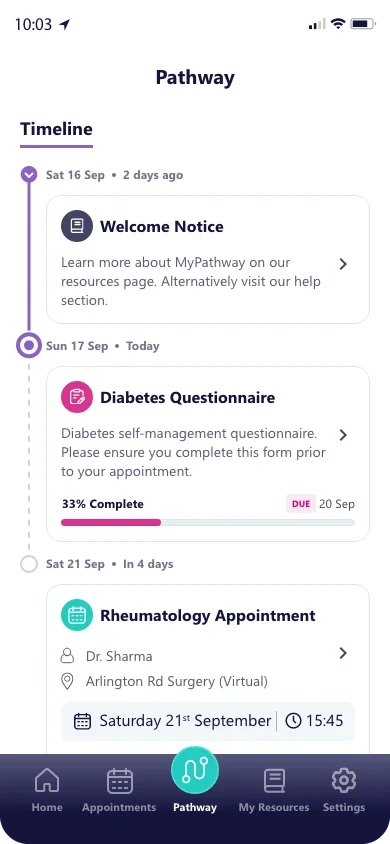
← Drag to compare
Three features, three versions
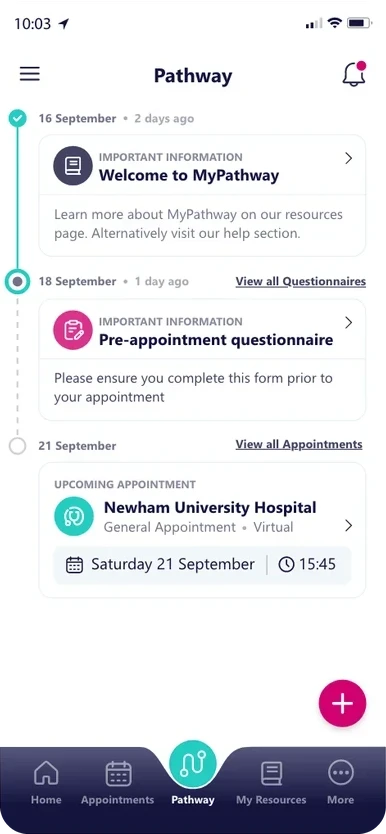
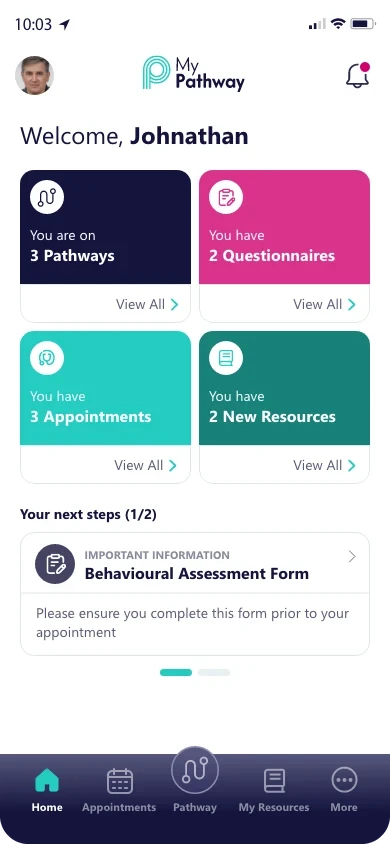
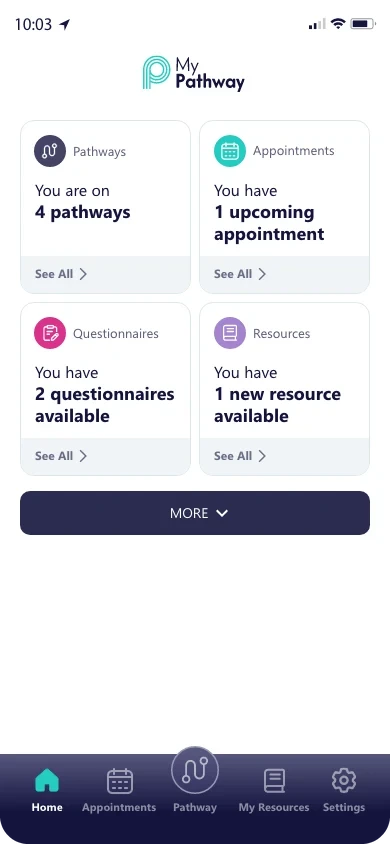
| Decision | Outcome | Trade-off |
|---|---|---|
| Pathway | Simplified | Timeline only. People lose the calendar view, but their next task is the first thing they see. |
| Questionnaires | Rebuilt | One question per screen: more taps, but calmer, and nothing is lost. |
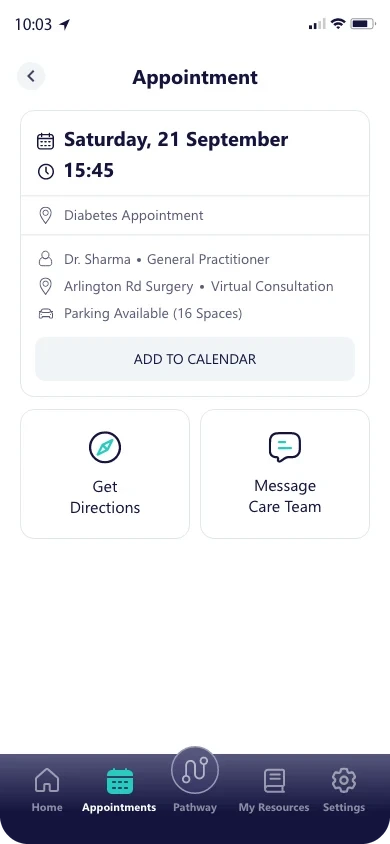
| Appointments | Refined | Only actions every service supports, so no button ends in “please phone”. |
| Readings and goals | Deferred | Designed twice, but users didn’t need it yet. Shipping it would have delayed what everyone uses. |
04 · Testing and iteration
Early testing shaped every version.
We ran early usability sessions with internal staff, who completed real patient tasks. These sessions showed us problems with navigation, finding tasks and finding questionnaires, and we used them to improve the design. We hadn’t yet tested these flows with recruited patients, so we treated what we saw as early feedback. Testing with patients is the next step.
- Internal staff across VitalHub, aged 20 to 60+, many with NHS backgrounds
- Clinicians and NHS partners, reviewing what comes back to care teams
- 3 follow-up interviews after Version 2
- Find what you need to do next
- Complete a questionnaire, leave, come back
- Check an appointment and add it to your calendar
- Find, read and rate a resource
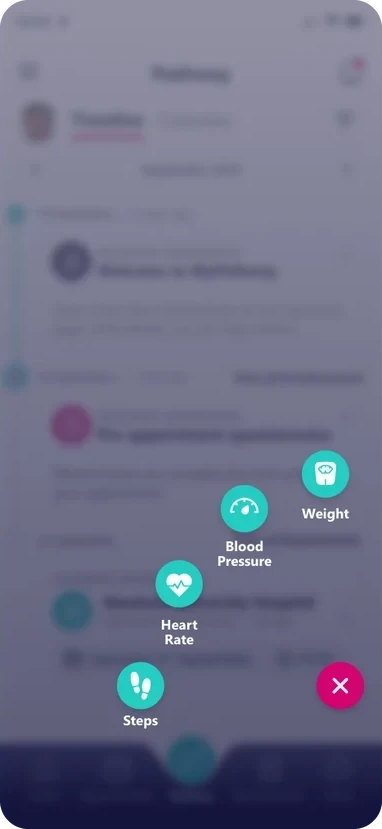
The plus button that proved me wrong
Findings → revisions
Navigation. A moving tab and two hidden menus
→A fixed centre Pathway and one visible Settings tab
Task visibility. Tasks mixed into the timeline
→Home says what is waiting; cards carry dates and progress
Questionnaire discoverability. Behind a filter or a More page
→Reachable from Home, the Pathway and their own list
Worry about losing answers
→Saved progress, an In progress tab and a safe leave dialog
05 · Delivery
Built from one system, by five developers at once.
Created from scratch
Three 10-step colour scales with semantic roles, a small type scale, and 46 components documented in five layers.
Built into the parts
Every text pair checked against WCAG 2.1 AA. Chips always carry a word, labels are always visible, and tap targets are at least 44px.
One plan everyone could follow
I worked with the product manager on scope, NHS partners on content, and a second designer who supported the work.
Flows and rules, not just screens
Every state drawn, behaviour annotated, tokens handed over by name, and builds checked in design QA before release.
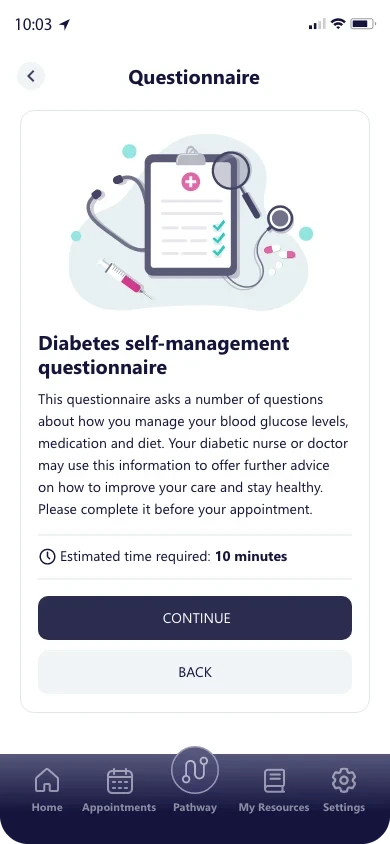
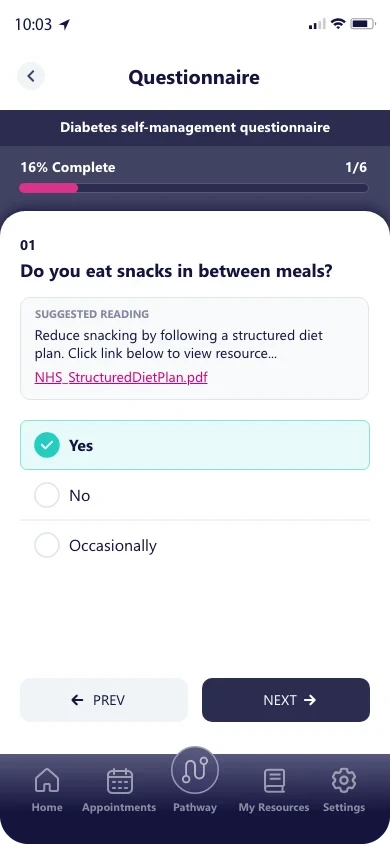
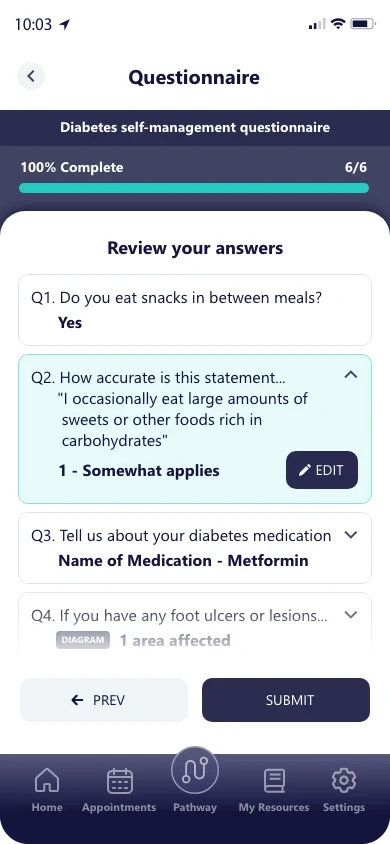
Foundations, components, accessibility and handoff, in detail.
06 · Impact and reflection
What I can show, and what I’ll measure next.
- 6 of 7 testers completed the questionnaire task without any help
- Every stakeholder ask designed, reviewed and either shipped or roadmapped with a reason
- A design system the whole team built from
MyPathway is used across NHS services and has reached more than 1.8 million patients. Platform outcomes include a 19% reduction in one MSK waiting list and an 88% attendance rate for patients triaged to telephone appointments. These belong to the platform, not to my redesign alone.
Usability sessions used internal staff, not recruited patients, because NHS access is restricted. The findings guided the design but don’t prove patient outcomes, and we didn’t set a completion baseline before release.
- Questionnaire completion and drop-off by question type
- Time from questionnaire sent to submitted
- Usability testing with recruited patients
- An accessibility audit with screen-reader users
What I learned. Designing the full brief first, then letting testing decide, kept stakeholders on side while we shipped less. Nothing was thrown away: every deferred feature has a design and a reason.