01 · Overview
A dashboard full of answers still has to be read.
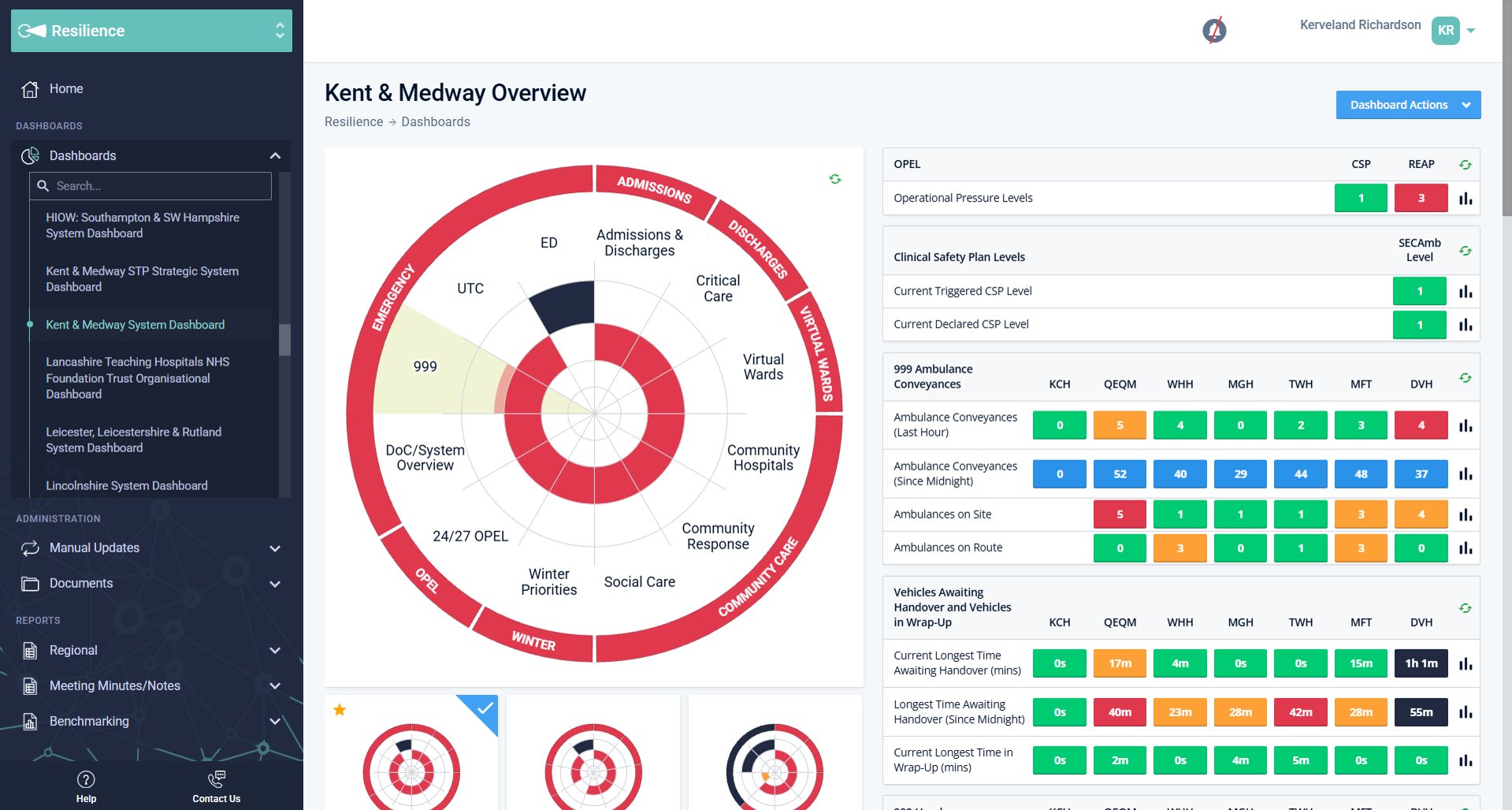
SHREWD Resilience shows pressure across an NHS system on one dial. Reading it still means scanning dozens of indicators across sites before a system call. NHS clients had asked for a faster way to get the headline, and product wanted dashboards to offer an AI summary.
from dashboard to summary. Phase 1 has no typing and no prompt picking
refresh cadence, matched to the dashboard’s own auto-refresh
predictions. The summary describes current metrics only, and says so
02 · The challenge
The concept was a chat panel docked to the dashboard.
Generic AI assistants could already summarise a screenshot of the dial. The answer sounded confident, but nothing in it could be traced back to an indicator. The March 2026 concept brought that same pattern into SHREWD. When I read it against the requirements, three things stood out:
- The panel took a large share of the screen and sat over the indicator tables, so the data you were asking about disappeared.
- The answer was long prose. Nothing linked a statement to the indicator behind it.
- No cue for when it was made or what it was based on. In a clinical setting, that decides whether anyone acts on it.
“Can I trust this summary, and where did it come from?”
03 · Design decisions
Easy to ignore. Easy to verify.
I held the design to four principles. Phase 1 was the smallest feature people could trust. Typing and picking prompts was already parked for phase 2.
A summary appears only when someone clicks. Nothing arrives uninvited.
It reports the present state. The footer says “Based on current dashboard metrics only.”
Each statement points at indicators, and the dial and tables highlight them.
A 58px orb at rest. One layer when open, closed with one click.
Decisions, and why
Orb bottom-right, where the brief said bottom-left
→Agreed with the product owner. The left edge is already the navigation sidebar and its footer links.
One click, no prompt box
→Typing is a phase 2 idea. A single action keeps Phase 1 buildable and easy to learn.
A floating toast, not a docked panel
→The whole dial stays visible. The cost is that it can cover a table, which the next iteration addresses.
The toast is always white
→The same readable surface on every dashboard, whatever its theme.
Highlights on the dial and tables
→They reuse the dial’s own red and amber at lower opacity, so there are no new colours to learn.
04 · Solution
A small orb that opens a summary you can trace.
The orb carries its state through light and motion, not labels. It is 58 × 58px with no text at rest, so it never competes with the dial.
- Hover. A pill expands to say exactly what a click does: “Generate summary”.
- Click. A ring spins and a skeleton shows while the summary is built.
- Summary. Rows are grouped under the dial segment they come from, so the summary has the same structure as the dial.
- Highlights. The dial segments and tables it talks about are tinted red or amber to match.
- Close. The × or the orb again.
A context strip names the dashboard and how much was read. Each row has a label and one plain sentence of figures from that area. A multicolour stripe marks the content as AI-generated.
The same colour links a sentence to its place on the dial. The toast shown at the top of this page is built from the real Phase 1 design.
Click the orb, then follow a row back to its source.
05 · Next iteration
Five refinements before it ships.
Reviewing the Phase 1 designs against the brief, I found five things to improve. These are proposals. They are not yet in the engineering spec.
06 · Feedback and what’s next
“This is what we asked for.”
I took the designs to a workshop and design review with our NHS clients. An AI summary was one of the features they had requested, and they loved it.
No explanation of the orb or the toast was needed.
One click from the dashboard to a summary.
It answers their own request, so it went into development with their support.
- Share of dashboard sessions that generate a summary
- Clicks from a summary row to its indicators
- How often people refresh a stale summary
- Reports of a summary that disagrees with the dial. The target is none
- A wider usability round in staging: can people find the source of each statement?
- Check the toast position on the densest dashboards
- Design the admin toggles
- Phase 2: summaries for a single segment and a table, and typed or selected prompts inside the same trust rules
The feature is in development with no release date yet, so there are no results to report. The dashboard figures shown are sample data.