01 · Overview
One shared language for a product many services configure.
colour steps across three brand scales
components in seven groups, each documented in five layers
contrast on the primary button (AA needs 4.5:1)
02 · The challenge
The old app had styles. It didn’t have a system.
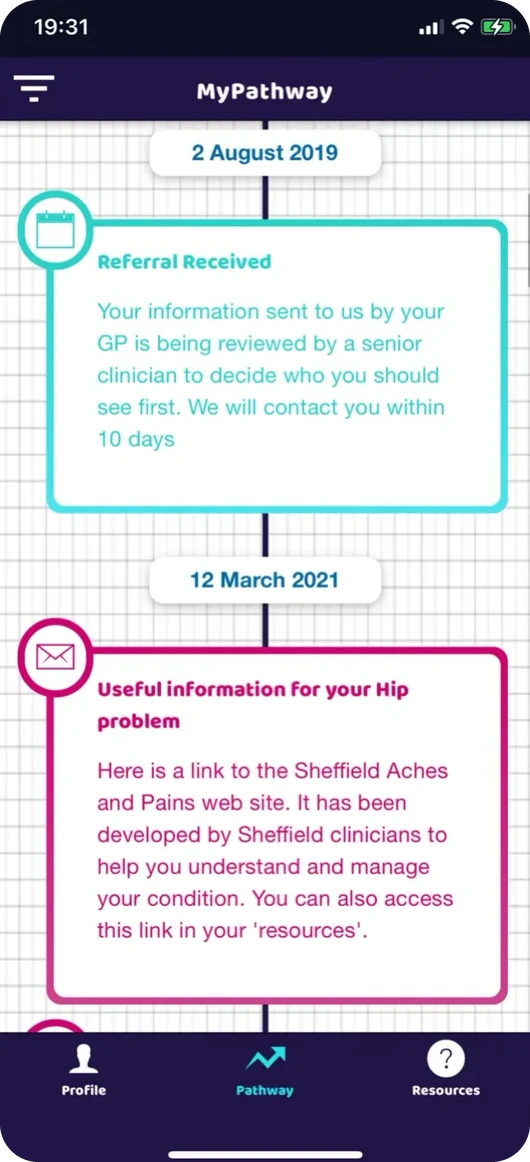
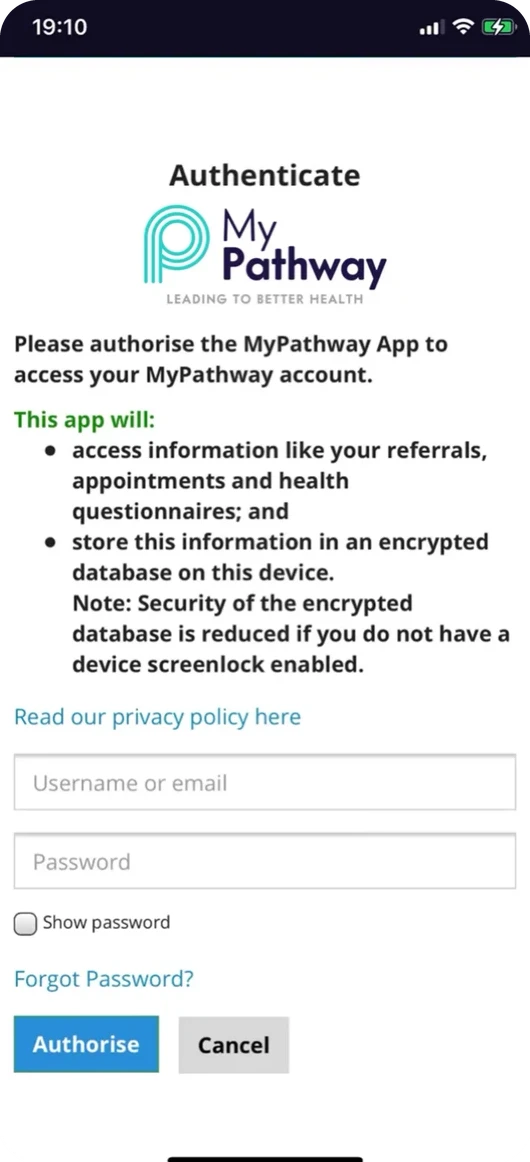
My audit of the old interface found four problems:
- Colour meant content type, so it couldn’t also mean “needs you” or “done”.
- Heavy frames and a grid background made every card shout equally.
- No button rules. Sign-in used a blue and grey that appeared nowhere else.
- Status written four ways: “Overdue”, “To Do”, “Booked” and “!” icons.
Why it mattered now: five developers were about to build a full redesign in parallel, for services that each configure their own content. Without one source of truth, we would have shipped five slightly different apps.
03 · Design decisions
Colour means status. Everything else stays calm.
I built three 10-step scales from the logo, then gave each colour one job. Screens use roles such as status.attention, not raw hex values.
Text, actions and navigation
Needs you: due, upcoming, in progress
Done, selected, safe
Decisions that came from the versions
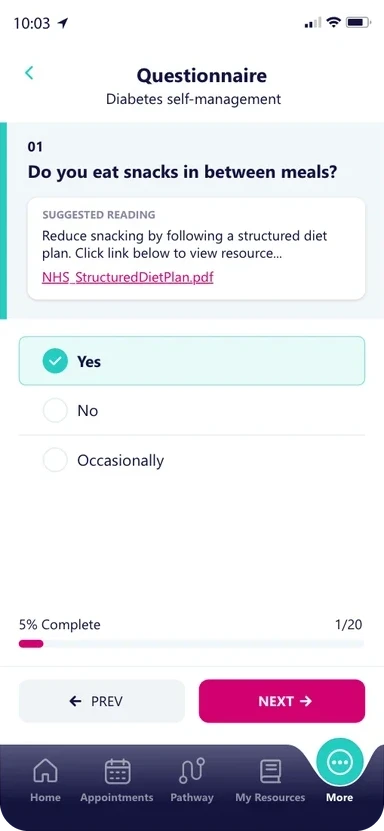
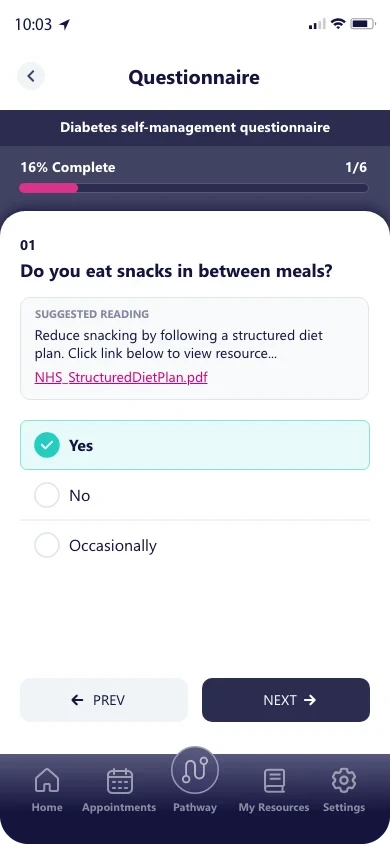
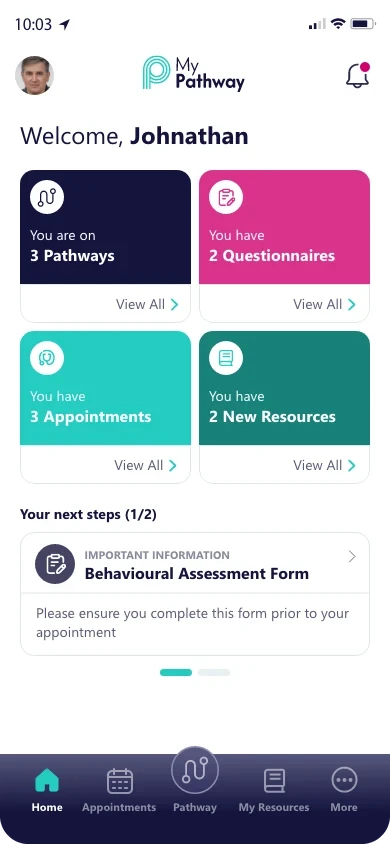
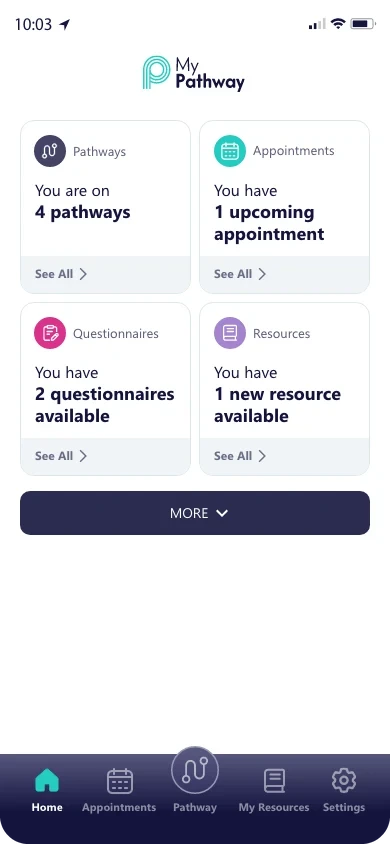
Pink stopped being a button
V1 used pink for Next, and pink also meant “due”. Actions and warnings looked the same.
Rule: pink is status, never an action. Every primary action is Dark Blue 90.
Colour moved into badges
V2’s full-colour tiles looked bold, but competed with status chips.
Rule: colour lives in small badges and chips. Surfaces stay white.
Content before photos
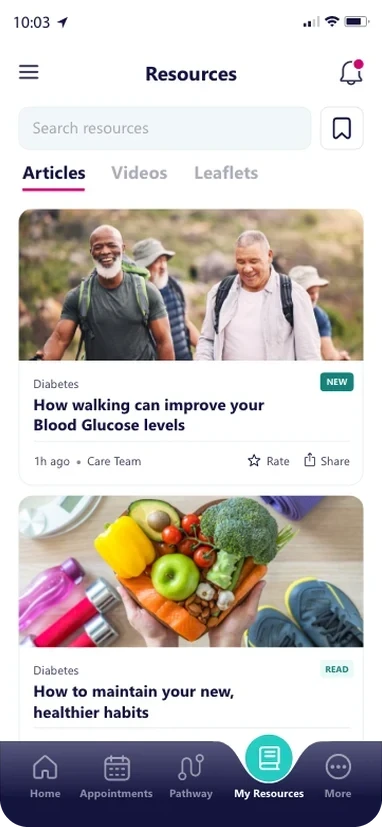
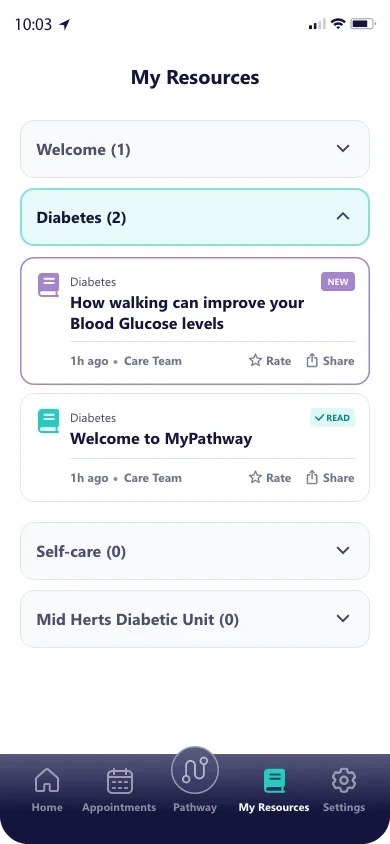
V1 photo cards fitted about two resources per screen.
Rule: imagery only where it explains something.
04 · Testing and iteration
Every version reviewed the UI, not just the UX.
The system wasn’t designed once and handed over. Each version of the app was reviewed with internal staff completing real patient tasks, and what confused people became a rule. We hadn’t yet tested with recruited patients, so we treated these as early findings.
The active tab rose out of the bar, so the shape jumped with every tap
→A fixed tab bar with Pathway as the raised centre
Many screens shared a logo header and looked the same
→Every header names its page, with the back arrow on the left
Dialogs appeared for actions that couldn’t be lost
→Dialogs only before loss, and they say what happens next
Green 100 text failed contrast at 2.0:1
→Green is for fills and icons only; text on green uses Dark Blue 100
testers completed the questionnaire task, built from the system, without any help
body text on white
status chips, each with a word, so colour never works alone
05 · Delivery
46 components in seven groups, each documented the same five ways.
The team built from one shared library. Every component is written up in five layers.
Definition
Purpose, variants, interaction states and anatomy
Design tokens
Type, spacing, semantic colours, borders and focus
Accessibility
Contrast, keyboard behaviour, labels, screen readers
Implementation
Design-to-code handoff and documented QA changes
Reuse
Where it appears across screens and workflows
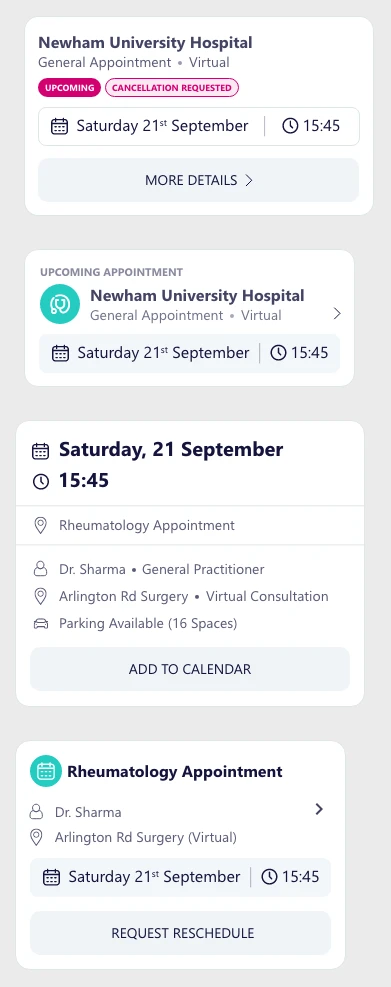
- Clear naming: scales by step (Blue 90), roles by purpose, components by job
- Every state drawn: default, pressed, selected, disabled, error, empty
- Tokens by name for developers, not screenshots
- A contribution path: need → check library → propose → review → release
- Design QA: changes logged against the component, so fixes went into the library
The UX case study shows every feature it was built for.
06 · Impact and reflection
One language, and an honest view of what’s next.
- Every screen in the final release built from the library
- 30 colour roles plus radius, elevation, spacing and focus tokens, all taken from the final screens
- Every text and colour pair checked against WCAG 2.1 AA
- Five developers built in parallel from one source
MyPathway runs across NHS services and has reached more than 1.8 million patients. The system means the next service gets a calm, consistent app from day one.
We didn’t measure adoption or build time as numbers. Accessibility is calculated and specified, but not yet audited with assistive-technology users, and four colour pairs still fall short of AA, each with a fix ready.
- Share of screens built only from library components
- Design QA issues per release
- An accessibility audit with screen-reader users
- The four contrast fixes, and tokens synced into code